impeng
Royal
Royal


LIKE ELSE YOU'LL DIE
(i offer hitman service on dark web)
What tool is required?
Hidden Content
- Visit HTTrack’s official website at https://www.httrack.com/.
- Download the version of HTTrack that matches your operating system (Windows, Linux, macOS).
- Install the software following the on-screen instructions.
Configure Your Project
Hidden Content
- Once installed, launch HTTrack from your application menu or desktop shortcut.
- Click on “Next” to begin creating a new project.
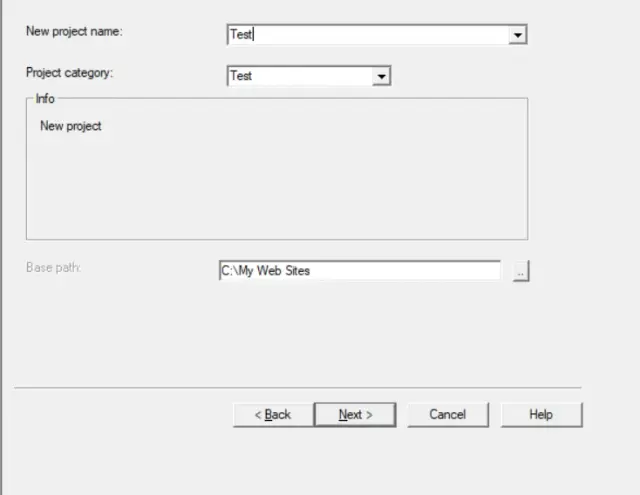
- Enter a name for your project and choose a destination folder where the mirrored website will be stored.
- Click “Next.”
Set Options
Hidden Content
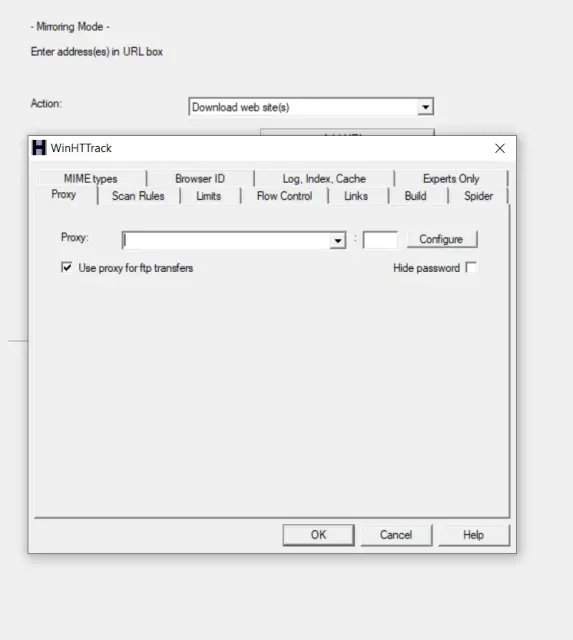
- Configure scraping options:
- Specify the starting URL (the website you want to mirror).
- Choose the maximum mirroring depth (how many levels deep you want to scrape).
- Define filters for file types (e.g., limit to images, HTML files, or specific extensions).
- Click “Next” to proceed.
Start Mirroring Process
Hidden Content
- Click “Finish” to start mirroring the website. HTTrack will begin downloading the specified content.
- You can monitor the progress and check the logs for any errors or warnings.

Explore Your Mirrored Website
Hidden Content
- Once the mirroring process is complete, navigate to the destination folder you specified earlier.
- Open the “index.html” file to start exploring the mirrored website.

(i offer hitman service on dark web)
What tool is required?
Hidden Content
- Visit HTTrack’s official website at https://www.httrack.com/.
- Download the version of HTTrack that matches your operating system (Windows, Linux, macOS).
- Install the software following the on-screen instructions.
Configure Your Project
Hidden Content
- Once installed, launch HTTrack from your application menu or desktop shortcut.
- Click on “Next” to begin creating a new project.
- Enter a name for your project and choose a destination folder where the mirrored website will be stored.
- Click “Next.”
Set Options
Hidden Content
- Configure scraping options:
- Specify the starting URL (the website you want to mirror).
- Choose the maximum mirroring depth (how many levels deep you want to scrape).
- Define filters for file types (e.g., limit to images, HTML files, or specific extensions).
- Click “Next” to proceed.
Start Mirroring Process
Hidden Content
- Click “Finish” to start mirroring the website. HTTrack will begin downloading the specified content.
- You can monitor the progress and check the logs for any errors or warnings.
Explore Your Mirrored Website
Hidden Content
- Once the mirroring process is complete, navigate to the destination folder you specified earlier.
- Open the “index.html” file to start exploring the mirrored website.
impeng's signature


