New update from RedOffsec:
What's New
Red C2 now supports
cross-network shell tunnels from the Network Map.
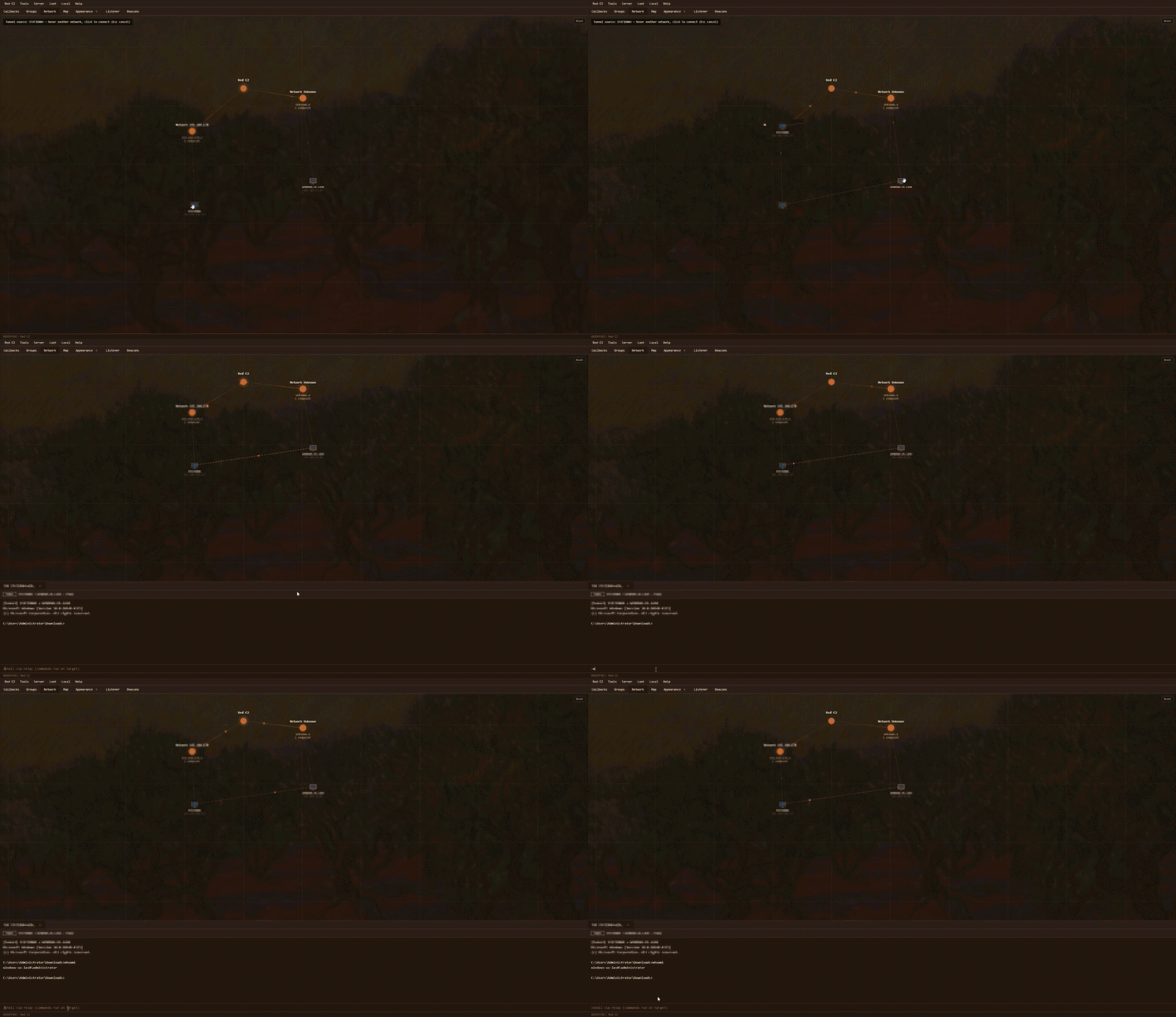
Link two beacons on different networks and open a shell on the target host. Traffic is brokered through your C2: the operator talks to the relay beacon, which relays to the target. No direct peer-to-peer path is required.
Works on
Windows,
Linux, and
macOS beacons. Tunnel mode is
shell only for this release.
How It Works
- Open
Network Map
- Select the
relay host, beacon A. It highlights with a blinking outline
- Hover over a host on a
different network, beacon B. An assist line appears
- Click to create the tunnel
- A tunnel terminal opens for the shell on beacon B
Close the tunnel from the terminal when you're done. The map also shows active tunnel edges between linked hosts.
Notes
- Both beacons must be
online and checking in
- Prefer building tunnels between hosts on
different subnets, as that is the intended use case
- Avoid keeping a normal Interact session open on beacon A or beacon B while a tunnel is active. They share the beacon channel
- Rebuild the
Server and
beacons with the latest compiler so the tunnel commands and updated GUI are included
Why It Matters
Reach a host that only the relay can see in practice. Jump networks, pivot into a second segment, and keep shell access flowing through the C2 without exposing a direct link between endpoints.
This is a bump